
TestFlight and the Time4Bets iOS App Download
TestFlight is Apple’s official program for distributing app builds, and here is the twist: in the App Store, you search for TestFlight, not for the platform itself. An invitation is a link that unlocks access to one specific build, in this case the one called Download Time4Bets. The route has three moves: install TestFlight, open the invitation, tap Install. That is the whole Time4bets app download, honestly. No jailbreak, no workarounds, just Apple’s own channel. Before you begin, check three things: free space in your phone’s memory, an up-to-date system version, and a stable network for the duration of the download. Nothing exotic, right?
The first launch asks for your login and password, plus a code if two-factor protection is switched on. After that, take a quick look at your balance and transaction history to make sure everything loaded correctly and matches what you see on desktop. New versions arrive through the same TestFlight channel, so there is no need to hunt for updates anywhere else. And notifications? Their permissions are set in your phone’s system settings, not inside the build.
Install TestFlight and open your invitation.
Android Play in a Mobile Browser, No APK
Android works differently, and honestly, in a pretty good way. Open the platform’s address in your mobile browser, sign in, and, if you like, pin the icon to your home screen, so the next launch takes one tap. Why is there no Time4bets APK, the installer file Android users usually look for? Because the browser version is updated on the platform’s side, a separate package is simply not released. That also means any site offering to download one has nothing at all to do with the platform. A few browser settings decide how smooth things feel:
• an up-to-date browser version;
• cookies allowed, so your session survives between visits;
• data saver mode switched off, since it slows down odds refreshes and the video stream at live tables.
Get those right, and the browser gives you the same set of features as the desktop, cashier and document upload included. No storage spent, nothing to update by hand… not bad for a bookmark. For most Android owners, that is the cleanest route there is.
Open the site in your browser and pin the icon.

Time4Bets Live Betting and Esports Odds on Mobile

Live betting on a phone follows the same rules as on a laptop, but a small screen makes them more noticeable. In-play means the price is recalculated nonstop. During dangerous moments, some markets are pulled for a while and come back afterwards. Every coupon is confirmed with a check of the current price, so a short delay between your tap and acceptance is perfectly normal. Esports adds its own twist: a map or game ends faster than a half in football, so the window for confirming a coupon is shorter than in classic sports.
What if the connection drops mid-tap? A bet that was already accepted stays valid, while an unconfirmed coupon does not count as accepted at all. Once you are back online, check your bet history to see where things stand. A few practical habits help a lot, and none of them cost anything. Play in an area with solid reception. Close background apps that eat bandwidth. And never switch between Wi-Fi and mobile data at the very moment you confirm a coupon, kind of like not changing lanes mid-turn.
Check your signal before you confirm a live slip.
Playing Online Slots and Live Tables on a Phone
What changes when the casino moves to a phone, and what stays put? The interface rebuilds itself: controls slide down to the bottom of the screen, into the thumb zone, while the set of buttons remains the same. Same reels, smaller frame, that is all. The info window is the panel with the declared return percentage, volatility and rules, and it opens with the same gesture as on a computer. Automatic quality reduction is how the video player reacts to a weak signal by lowering the picture resolution. It is not a platform fault at all, just the stream adapting.
The live lobby is the list of tables with their minimum and maximum stakes, visible before you sit down, so you can pick a fit for your current balance. Demo mode for the reels works in the mobile view too, which is handy for testing a title on the commute. Live tables, however, have no demo mode on any device, phone or desktop.
Test a slot in demo mode before playing for real.
Mobile Deposits, Withdrawals and Documents
The cashier in the Time4bet app mirrors the desktop one, limits included. Deposits go through plastic, Apple Pay or digital assets: 7 CAD to 42,000 CAD per operation for cards and Apple Pay, and 1.40 CAD to 140,000 CAD a day for coins. Withdrawals are requested in the cashier as well. Plastic takes 28 CAD to 14,000 CAD, a bank transfer 140 CAD to 140,000 CAD a day, and coins 28 CAD to 280,000 CAD per transaction. Big payout on the way? Coins and bank transfers have the most room, while cards suit everyday sums.
Offers live on the same screen: you lock in your bonus option while depositing, then keep an eye on the turnover status. Documents go up straight from the phone, including the card photo with the middle digits of the number covered… handy, since the camera is already in your hand. Every amount shows in your account currency, so there is no mental math and no guessing what a threshold means in dollars. Here is the full picture:
| Operation | Method | Minimum | Maximum |
| Deposit | Visa, Mastercard, Apple Pay | 7 CAD | 42,000 CAD per operation |
| Deposit | Crypto | 1.40 CAD | 140,000 CAD per day |
| Withdrawal | Visa, Mastercard | 28 CAD | 14,000 CAD per operation |
| Withdrawal | Bank transfer | 140 CAD | 140,000 CAD per day |
| Withdrawal | Crypto | 28 CAD | 280,000 CAD per transaction |
Pick the channel that fits your sum.
Reading Time4Bets Bonus Terms on Mobile
The offers screen packs a lot into a small space, so let us decode it bit by bit. An offer card is the block with the promotion name, an activate button and a terms link; on a phone, the terms collapse and open separately. The turnover indicator is a bar or a number showing how much you still need to bet before credited funds are released. The free spin counter shows what is left of the 100, 150 or 150 spins credited at 0.20 CAD each. The La Liga Daily Wheel mark is the available spin that appears after La Liga bets from about 14 CAD in a day, one per day. What works in full from the phone?
• locking in your bonus option while depositing;
• checking the remaining turnover;
• spinning the La Liga Daily Wheel.
Honestly, not bad at all for a screen that fits in a pocket.
Open the terms link before you tap activate.

Fixing App Download, Login and Payment Faults
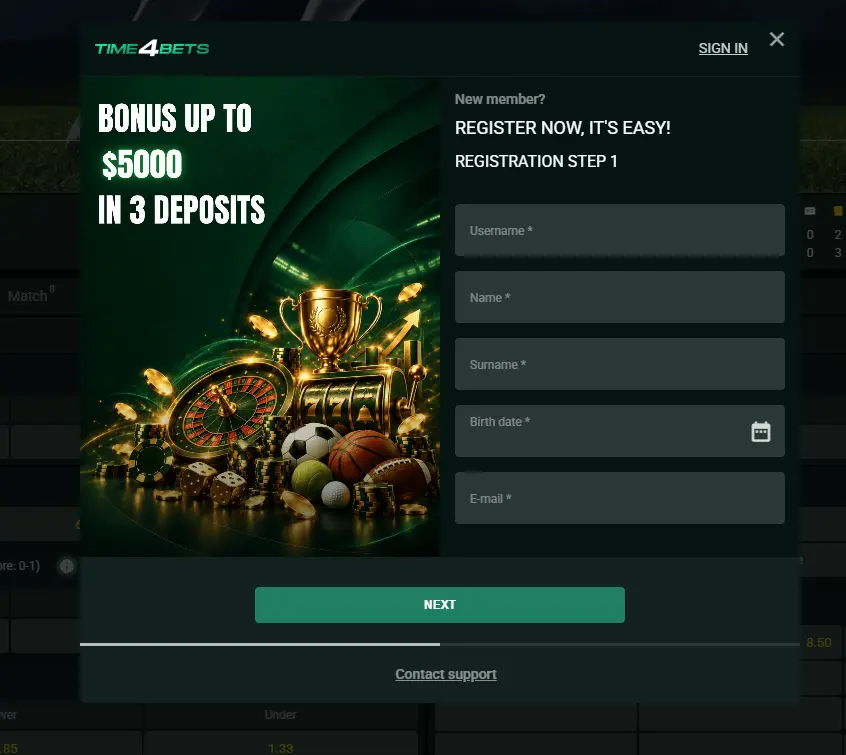
Most error messages sound a lot scarier than they really are. Here is what each one actually means:
• an invitation that will not open: the build has not reached your device yet, it has not been removed from the platform;
• a rejected login: the login and password pair or the two-factor code did not match, and the account is not blocked;
• a frozen video stream: quality reduction on a weak signal, which is normal stream behavior;
• an unconfirmed coupon: the bet was not accepted, so it was not paid for either, and your history shows it;
• an invisible payment: the operation is still processing and will appear once it completes.
When something goes wrong, work through a simple order: check the connection, restart the Time4bets app or the browser, clear the cache, update the system, and log in again. Usually, that is enough, and several of these are not faults at all. One firm rule, though… never open a second account to get around a fault, because that is not allowed.
Run the checklist before you contact support.
Time4Bets App Download FAQ from Canada
Play responsibly and keep every session within budget.
Install, sign in, and play within your limits.