
Time4Bets Registration Terms Inside the Form
Six words do most of the heavy lifting during sign-up, and each one is easier than it sounds:
• public name: the nickname other players see, which differs from your real name, and other companies’ brand names are off limits
• account currency: the unit for your balance, your bets and every threshold, set once and never again
• two-factor protection: a second code requested at login on top of your password
• identity verification: checking your documents against your profile data before the first payout
• turnover: the volume of bets needed before credited bonus funds become free money
• payout cap: the top amount you can withdraw from one specific credit
From here on, these words appear without a second explanation. Keep them in mind, because the form, the cashier and the bonus rules all lean on them. Think of it as a cheat sheet you can glance back at whenever a rule sounds murkier than it should.
Keep this dictionary handy before you start.
What to Collect Before Time4Bets Sign Up
A little prep before Time4Bets register saves a lot of waiting later. Here is what to have on hand, and why each item matters:
- a working email inbox, since it confirms your address and is how you restore access;
- a public name and a password thought up in advance, because they open and protect the account;
- a decision on account currency, as it is fixed once the form is sent;
- a photo ID, which confirms you are 18 or older;
- proof of address no older than three months, which confirms where you live;
- a payment method in your own name, since the name on it has to match your profile.
What does matching mean here? The spelling of your name in the profile, on your document and on the payment method must be identical, letter for letter. And one more reminder… a second account per person is not allowed.
Gather everything before the form is open.
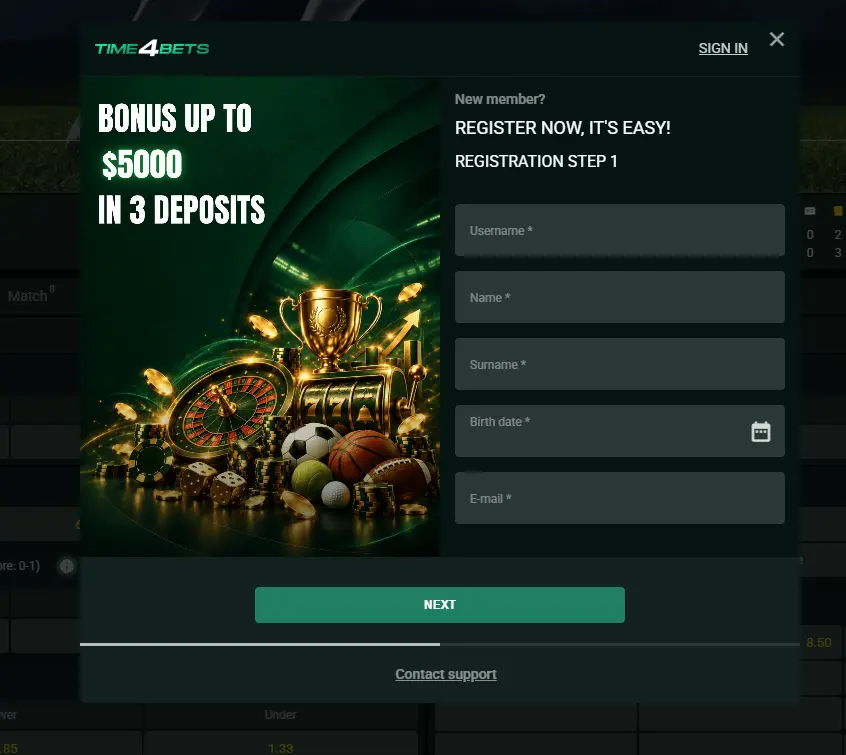
Filling In the Time4Bets Sign Up Form
The form has six fields: email address, public name, password, account currency, a terms checkbox and an age confirmation. Sounds simple, and it mostly is, but three requirements deserve a translation. A working email address means an inbox you can open right now, because the confirmation letter arrives immediately, not tomorrow or next week. Easy, right? A unique password means a combination you have never used anywhere else, and above all not the same as the password of that inbox. Other companies’ trademarks are brand and platform names you cannot take as a public name, however tempting a famous logo might look.
The order is straightforward: hit the create account button, fill in the fields, send the form, then open the confirmation letter. That is the whole Time4Bet register sequence. One catch, though… some sections stay locked until you confirm your address, so do not be surprised if not every tab opens straight away.
Fill in the form and check your inbox.
Why a CAD Time4Bets Account Is Final
What does fixed actually mean here? The settlement unit is set once, when the account is created, and after the form is sent, it cannot be changed through settings or by asking the chat. That is the whole definition… and it is stricter than it sounds. Pick a foreign currency, and you get a double exchange: money is converted on the way in and again on the way out, each time at your bank’s rate. Then comes threshold recalculation. The 20, 50 and 75 CAD steps of the welcome package stop being round numbers in another currency, so you would have to double-check them before every operation. Not much fun, right? With CAD, every figure reads exactly as written. By the way, interface language has nothing to do with currency and is switched separately.
Choose CAD once and skip the conversions.
Address Confirmation and the Time4Bets Login
Address confirmation is the click on the link in the letter. It proves the inbox belongs to the account owner and unlocks the sections that were closed to you before. Two-factor protection in practice means a code is requested on top of your password, so one stolen password is not enough to get in. Access recovery works through a reset letter sent to the confirmed address. The logical consequence? Losing access to that inbox means losing access to the account, so guard it really well. Think of the inbox as the master key. Your first Time4Bets login is a good moment for three quick tasks that take barely a minute: check that the name in your profile matches your document, switch on the extra protection, and pick your interface language.
Confirm your email and switch on the extra code.
The Login Form and Its Password Reset Path
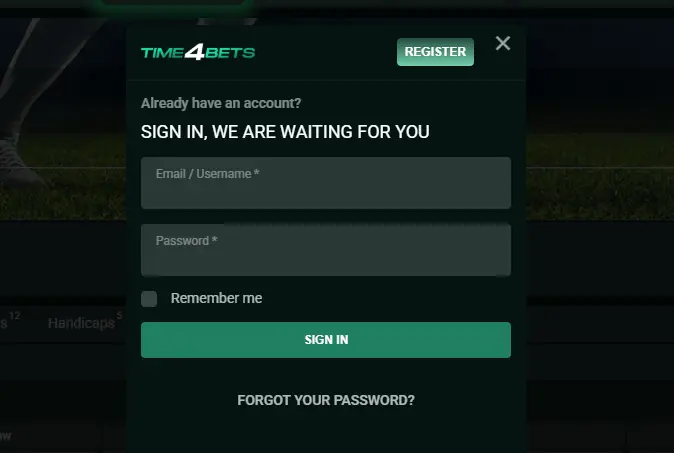
Each return visit starts with a short, familiar screen, and every element on it has a job. The login and password pair is two fields, and your login is either your email address or your public name. The code field shows up only when two-factor protection is on and asks for a six-digit code from an authenticator app. The recovery link is the line under the fields that sends a password reset letter to your confirmed address. An active session is a record of a login from a specific device; you can see it in the security tab and close it there. Forgot your password? Go step by step: recovery link, letter, new password, and then a fresh Time4Bet login. Lost access to the inbox itself? Then only the help chat can sort it out.
Check your active sessions after using a new device.

First Deposit and the Time4Bets Bonus Attached
Here is the link that really confuses most newcomers. The deposit amount decides which step of the package you get, while the option you pick at payment decides where the turnover is played. Once the payment is confirmed, the choice is locked, and no promo code is needed. For a Canadian player, the step minimums are 20 CAD, 50 CAD and 75 CAD. Any option doubles your deposit up to 500 CAD, and the payout cap per credit is 2,500 CAD. Simple math, but it pays to get it right. The three options and where their turnover clears:
- slots: bets on the reels;
- live blackjack: blackjack tables in the live dealer section;
- sports: bets in the line.
Free spins on Golden Tree Buy Bonus at 0.20 CAD come as 100, 150 and 150, whichever option you choose. The best advice? Plan the amount for each step before you even open the cashier.
| Step | Minimum | Credit | Free spins | Payout cap |
| First deposit | 20 CAD | 100% up to 500 CAD | 100 | 2,500 CAD |
| Second deposit | 50 CAD | 100% up to 500 CAD | 150 | 2,500 CAD |
| Third deposit | 75 CAD | 100% up to 500 CAD | 150 | 2,500 CAD |
Plan your first deposit around the step minimum.



What Claiming a Time4Bets Bonus Involves
Claiming is a separate move, and three terms explain it. The step threshold is the minimum deposit below which no credit arrives at all: 20 CAD, 50 CAD and 75 CAD for the three steps. Locking the option means ticking one of the three sections on the payment screen, and once the payment is confirmed, that tick cannot be changed. The active credit card is the entry in the offers section showing the amount, the remaining turnover and the payout cap. The sequence goes like this: cashier, payment method, amount, option tick, payment confirmation, and then a quick look at the card in the offers section. And no, you do not need a promo code for any of it. The whole thing takes less than a minute.
Tick an option before you confirm the payment.
Account Verification Documents and Requirements
Verification has its own vocabulary, so let us decode it piece by piece. An identity document is any valid document with a photo that confirms you are 18 or older. Proof of address is a paper no older than three months where your address and name appear together. Covered middle digits are the part of your card number you hide on the photo, leaving the first and last digits visible. Request status is the label in your cabinet showing whether a file is accepted, rejected or still in the queue. Now, the photos themselves. The whole document must be in the frame, the text must be readable, and there should be no glare. Skip any of that, and you will be reshooting. Annoying, but easy to avoid. Until the check is complete, credits do not arrive and payout requests do not move.
Upload your documents on the day you register.
Time4Bets Sign Up FAQ for New Canadians
Play responsibly and within your budget.
Register, verify, and start with a clear plan.